
 Facebook
 X
X LinkedIn
 Forward
To add or update your Texas Medical Board (TMB) license information in EthosCE:
Navigate to your EthosCE Profile
- Navigate to EthosCE webpage and log in to your account.
- After logging in, click the “My Account” tab located on the top menu bar.

- On the My Account page, select the “Edit” tab.

- Then, click on the “Profile” subtab.

Update your EthosCE Profile
*Because CE Broker does not recognize the Middle Name field in EthosCE, the middle name or second name should be included in the First Name field.
- In the Profile page, scroll to the Board Certification section.
- Select Texas from the "Specialty Board/License" dropdown menu.
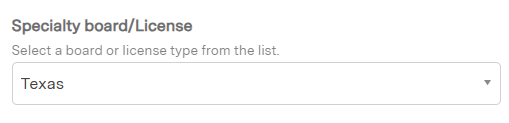
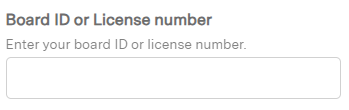
- Enter your license number in the "Board ID or License Number" field.
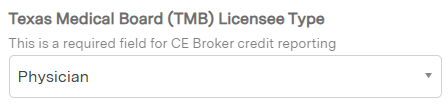
- Confirm that your profession is selected in the "Texas Medical Board (TMB) Licensee Type" field to ensure your credits are reported to CE Broker.
Save Your Changes
- Scroll to the bottom of the page.
- Select "Save" button.

- Wait for confirmation that your changes were saved successfully.
Contact UT Southwestern Office of Continuing Education for questions or support.